



Quick answer: How much RAM and CPU does your VPS need? A business website or small WordPress site runs well on 2 vCPU and 4 GB RAM. A WooCommerce store, a few busy sites or a control panel like cPanel needs about 4 vCPU and 8 GB RAM. Custom apps, large databases and busy online stores usually need 6 to 8 vCPU and 12 to 24 GB RAM. Start with the smallest plan that leaves about 30% headroom, watch your usage for a week, then scale up if you need to.
Choosing a VPS plan is mostly about two numbers: CPU cores and RAM. Pick too little and your site slows down or crashes at busy times. Pick too much and you pay every month for power you never use.
At KhaleejHost this is the question UAE businesses ask us most before buying a VPS: how much RAM and CPU does your VPS need for what you actually run? This guide answers it in plain language, with sizing tables for common workloads and a simple way to check your real usage.
Table of Contents
- RAM vs CPU: What Each One Does
- How Much RAM and CPU Does Your VPS Need? Sizing Table
- VPS RAM Requirements: What Uses Memory on a VPS?
- How Many VPS CPU Cores Do You Need?
- Matching Your Needs to KhaleejHost VPS Plans in the UAE
- How to Check What Your Site Really Uses
- Signs Your VPS Needs More RAM or CPU
- Example Setups for UAE Businesses
- Storage and Bandwidth: The Other Two Numbers
- Does Managed or Unmanaged Change the Size You Need?
- Common VPS Sizing Mistakes
- Frequently Asked Questions
- Conclusion
RAM vs CPU: What Each One Does
Before asking how much RAM and CPU does your VPS need, it helps to know what each one handles.
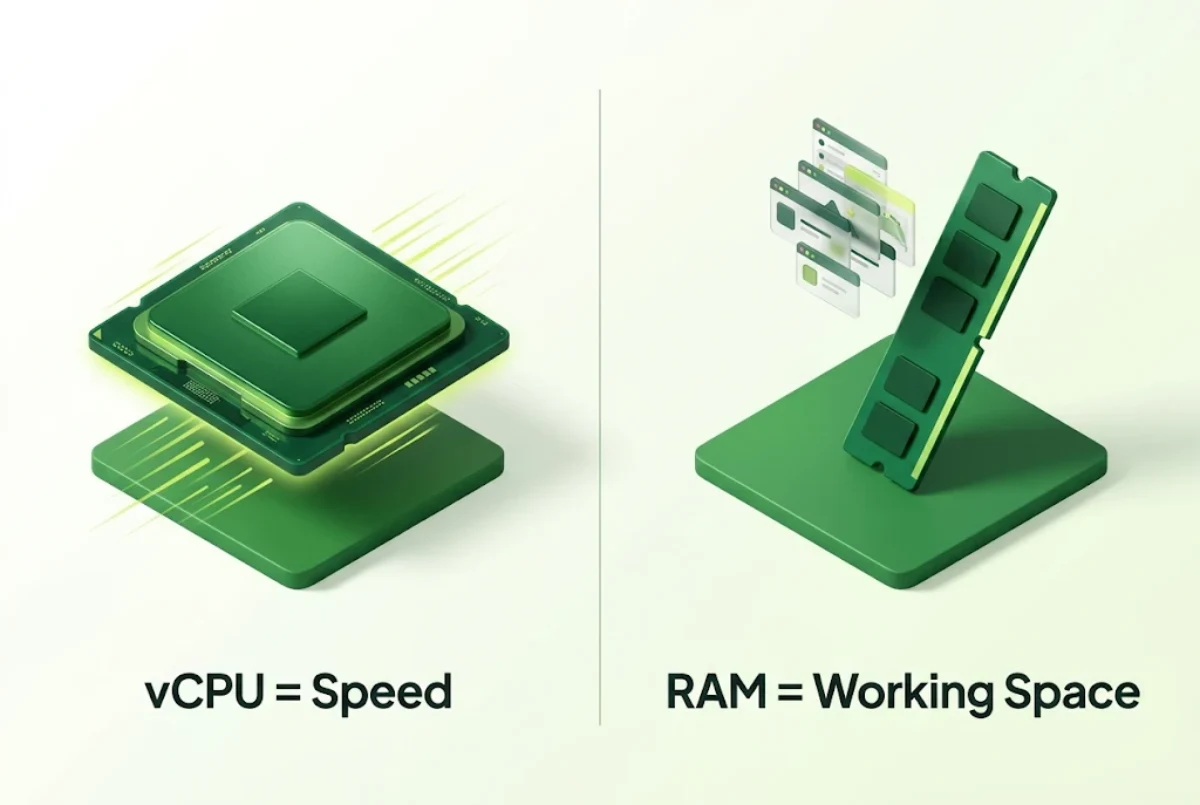
- vCPU (virtual CPU cores) do the thinking. They run PHP, process orders, build pages and handle database queries. More cores let your server do more things at the same time, which matters when many visitors arrive together.
- RAM (memory) is the working space. Your operating system, web server, database cache and every running process sit in RAM. When RAM runs out, the server starts using disk as slow “swap” memory, and everything crawls.
A simple way to think about it: CPU decides how fast work gets done, RAM decides how much work can happen at once. Most websites run out of RAM before they run out of CPU.
How Much RAM and CPU Does Your VPS Need? Sizing Table
Use this VPS sizing guide as a quick reference. These are practical starting points for common UAE business workloads. They assume a Linux VPS with a typical web stack.
| What you run | vCPU | RAM |
|---|---|---|
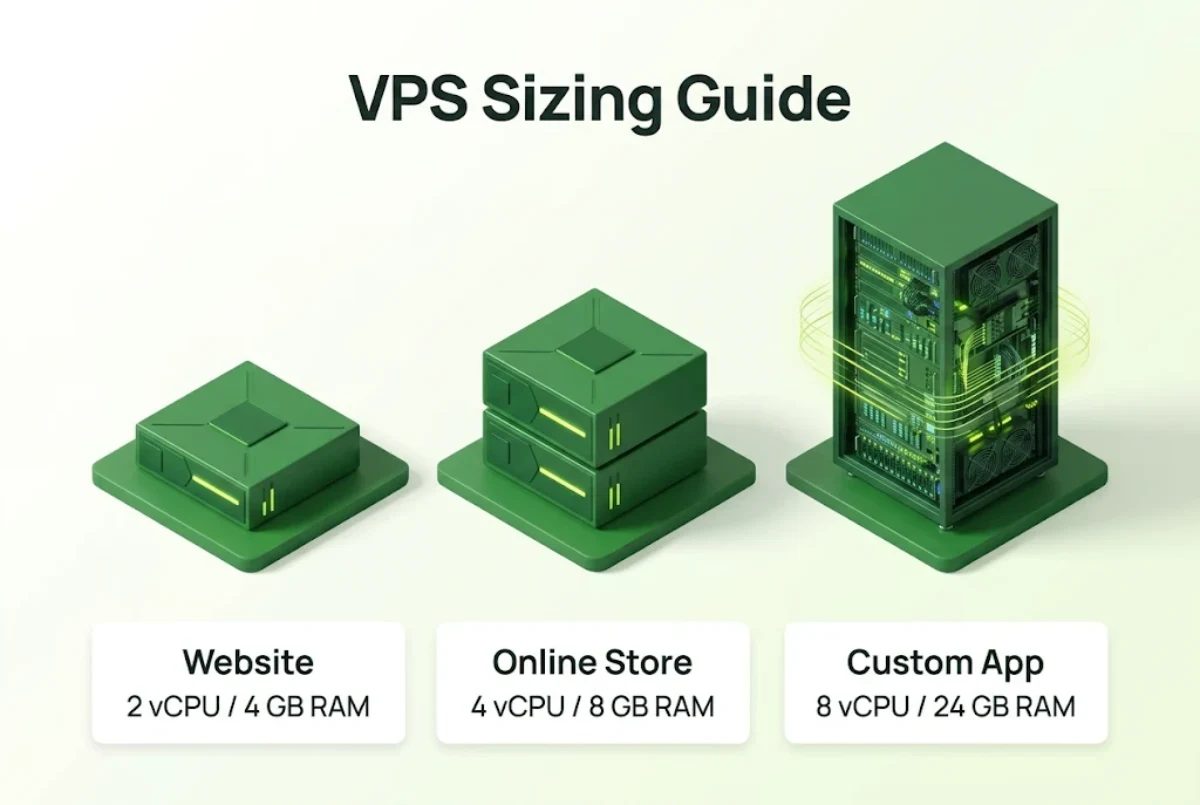
| One business website or WordPress site, low to medium traffic | 2 | 2 to 4 GB |
| Several WordPress sites or a small agency server | 2 to 4 | 4 to 8 GB |
| VPS with cPanel or Plesk and several accounts | 4 | 8 GB |
| WooCommerce store, small to medium | 4 | 8 GB |
| Busy online store or many client sites | 6 | 12 GB |
| Custom web app (Node.js, Python, Laravel) with a database | 4 to 8 | 8 to 24 GB |
| ERP, CRM or large database (for example Odoo) | 8 | 16 to 24 GB |
| Heavy apps, many containers or high-traffic platforms | 12 to 16 | 48 to 64 GB |
Treat these as a starting point, not a rule. Traffic, caching, plugins and code quality all change the real numbers. The best answer always comes from watching your own usage, which we cover below.
VPS RAM Requirements: What Uses Memory on a VPS?
When you work out VPS RAM requirements, add up what will run at the same time:
- Operating system: a lean Linux install uses well under 1 GB.
- Control panel: panels like cPanel or Plesk add their own services and need more memory than a bare server. Check the official cPanel system requirements before you choose.
- Web server and PHP: each PHP worker can use from tens of MB to over 100 MB, and busy sites run many workers at once.
- Database: MySQL or MariaDB performs best when its cache fits in RAM. Bigger databases want more memory.
- Caching and extras: Redis, Memcached, search tools, email services and backups all take their share.
- Headroom: leave around 30% free for traffic spikes and updates.
How Many VPS CPU Cores Do You Need?
The CPU half of how much RAM and CPU your VPS needs depends on how many things happen at the same moment.
VPS CPU cores matter most when many things happen at once. You need more cores if you have:
- Many visitors at the same time, especially logged-in users or shoppers
- Uncached pages, such as carts, checkouts and account areas
- Heavy background jobs like imports, image processing or reports
- Several websites or apps sharing the same server
A useful rule: if your server’s “load average” regularly stays above the number of vCPU cores you have, the CPU is a bottleneck.
Matching Your Needs to KhaleejHost VPS Plans in the UAE
Here is how the sizing table maps to our current VPS plans. Prices are per month.
| Plan | vCPU / RAM / SSD | Price | Good for |
|---|---|---|---|
| Cloud VPS 4 | 4 / 8 GB / 100 GB | AED 42.24 | Business sites, several WordPress sites, cPanel servers, small WooCommerce stores |
| Cloud VPS 6 | 6 / 12 GB / 200 GB | AED 57.60 | Busy stores, agencies with many client sites |
| Cloud VPS 8 | 8 / 24 GB / 300 GB | AED 107.52 | Custom apps, ERP and CRM systems, larger databases |
| Cloud VPS 12 | 12 / 48 GB / 400 GB | AED 192.00 | High-traffic platforms, many containers |
| Cloud VPS 16 | 16 / 64 GB / 500 GB | AED 284.80 | Heavy workloads and large databases |
All plans come with SSD storage, snapshots and unlimited traffic (subject to plan terms), and you can add more storage. For the full price breakdown, see our VPS hosting cost in UAE guide. Not sure whether you want to manage the server yourself? Read managed vs unmanaged hosting in the UAE.
How to Check What Your Site Really Uses
The most reliable way to answer “how much RAM and CPU does your VPS need?” is to measure. If you already have a server or hosting account:
- Check current usage. In cPanel, open Resource Usage. On a Linux server, run
free -mfor RAM andtoporhtopfor CPU. - Watch for a full week. Include your busiest days, such as weekends, sales and month-end.
- Note the peaks, not the average. Size for your busiest hour.
- Add 30% headroom. This covers growth and traffic spikes.
- Pick the plan that fits, then review monthly. Upgrading a VPS later is quick, so start sensible rather than oversized.

Signs Your VPS Needs More RAM or CPU
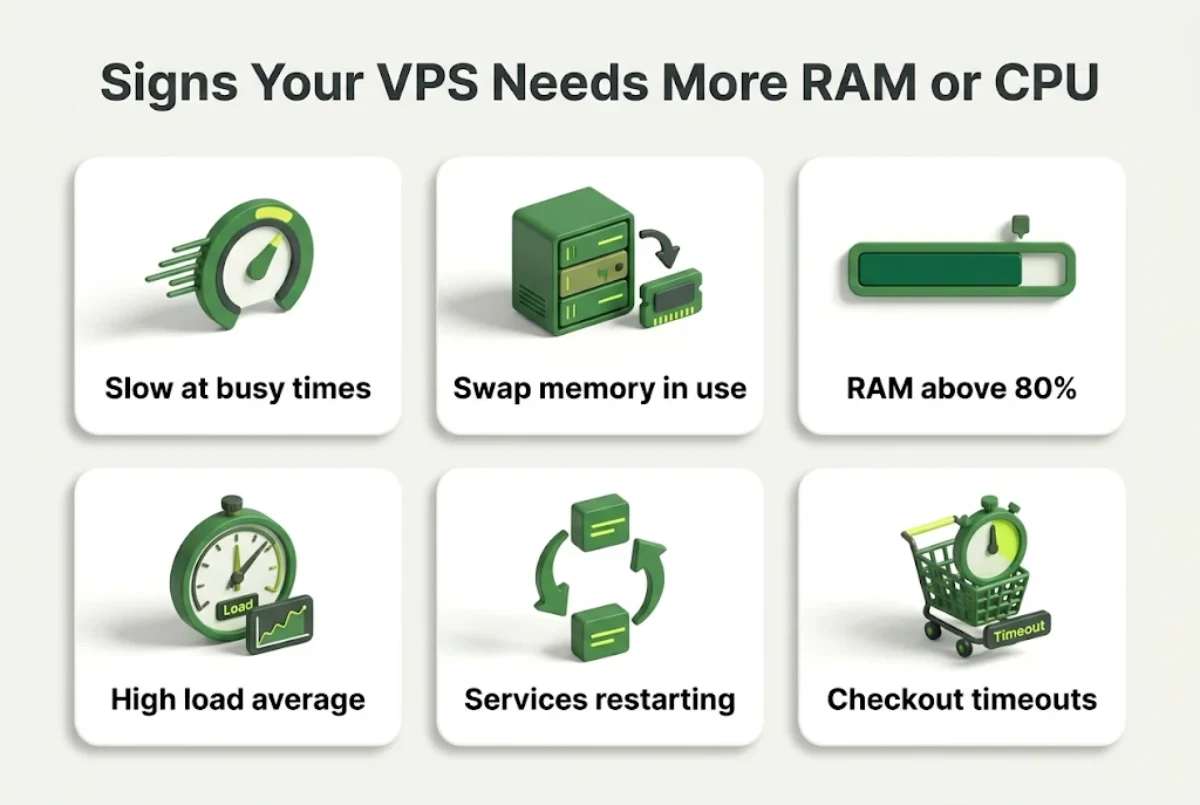
Even once you know how much RAM and CPU does your VPS need today, usage grows over time. Watch for these signs:
- Pages slow down at busy times but are fine at night
- The server regularly uses swap memory
- RAM usage stays above 80% most of the day
- Load average is often higher than your number of vCPU cores
- Database or PHP processes crash or restart on their own
- Checkout or admin pages time out during sales
If you are still on shared hosting and seeing these problems, read when to upgrade to VPS hosting. Comparing options? Our cloud hosting vs VPS guide explains which suits growing traffic.
Example Setups for UAE Businesses
How much RAM and CPU does your VPS need in real life? These typical setups show it:
- A Dubai clinic with a WordPress website and booking plugin. One site, steady daytime traffic, a few hundred bookings a month. Cloud VPS 4 (4 vCPU, 8 GB RAM) gives plenty of room, with space to add a second site later.
- A Sharjah web design agency hosting 25 client sites with cPanel. Many small sites, each with its own database and email. Cloud VPS 6 (6 vCPU, 12 GB RAM) handles the control panel overhead and busy days across clients.
- An Abu Dhabi online store running WooCommerce. Thousands of products, sale campaigns and uncached checkout pages. Start on Cloud VPS 6 and move to Cloud VPS 8 if checkout slows during big sales.
- A trading company running an ERP system for 30 staff. Heavy database queries all day. Cloud VPS 8 (8 vCPU, 24 GB RAM) keeps the database cache in memory.
Storage and Bandwidth: The Other Two Numbers
RAM and CPU decide speed, but do not forget storage and network:
- Storage: add up your website files, databases, email and backups, then leave room to grow. Images and product catalogues grow faster than most people expect.
- Network port: a faster port helps when many visitors download pages, images or files at once. Larger plans come with faster ports.
- Snapshots: take a snapshot before big updates so you can roll back quickly if something breaks.
Does Managed or Unmanaged Change the Size You Need?
Not much in hardware terms, but it changes how well the server is tuned. On a managed VPS, the hosting team helps set up caching, PHP and database settings, which often lets you run more on the same RAM and CPU. On an unmanaged VPS, you handle that tuning yourself, so it pays to know your way around Linux. Either way, how much RAM and CPU does your VPS need? Start with the same sizing table above.
Common VPS Sizing Mistakes
- Buying on CPU alone. Most websites hit RAM limits first.
- Forgetting the control panel. cPanel or Plesk needs its own memory on top of your sites.
- Sizing for average traffic. Your busiest hour is what matters.
- Skipping caching. Good page and object caching can cut CPU use a lot and delay an upgrade.
- Oversizing “just in case”. You can scale a VPS up later, so pay for what you need now.
Frequently Asked Questions
How much RAM and CPU does your VPS need for a WordPress website?
A single WordPress site with low to medium traffic usually runs well on 2 vCPU and 2 to 4 GB RAM. Several WordPress sites or a WooCommerce store need around 4 vCPU and 8 GB RAM.
Is 8 GB RAM enough for a VPS?
For most business websites, several WordPress sites, a cPanel server or a small to medium WooCommerce store, 8 GB RAM is enough. Busy stores, custom apps and large databases may need 12 to 24 GB.
How many CPU cores do I need on a VPS?
Most websites run well on 2 to 4 vCPU. Busy online stores, many sites on one server or custom apps with background jobs often need 6 to 8 vCPU.
Which matters more for a VPS, RAM or CPU?
For most websites, RAM runs out first. CPU matters more when you have many visitors at the same time, uncached pages or heavy background tasks.
How much RAM does cPanel need on a VPS?
cPanel runs its own services, so plan for more memory than a bare server. A cPanel VPS hosting several accounts is comfortable with about 8 GB RAM.
How do I know if my VPS needs more RAM?
Signs include regular swap use, RAM usage above 80% most of the day, slow pages at busy times and services that crash or restart.
Can I upgrade my VPS RAM and CPU later?
Yes. A VPS can be upgraded to a larger plan as your needs grow, so it makes sense to start with a plan that fits today plus some headroom.
What is the cheapest KhaleejHost VPS plan?
Cloud VPS 4 starts at AED 42.24 per month with 4 vCPU cores, 8 GB RAM and 100 GB SSD storage.
Conclusion
So, how much RAM and CPU does your VPS need? For most UAE business websites and small stores, 4 vCPU and 8 GB RAM is a comfortable start. Busy stores and agencies should look at 6 vCPU and 12 GB, while custom apps and large databases need 8 or more cores and 24 GB or more. Measure your real peak usage, add around 30% headroom and upgrade when the signs appear, and you will pay only for the power you actually use.
Not Sure Which VPS Plan You Need?
Tell us what you run and our team will recommend the right RAM and CPU for your workload.