

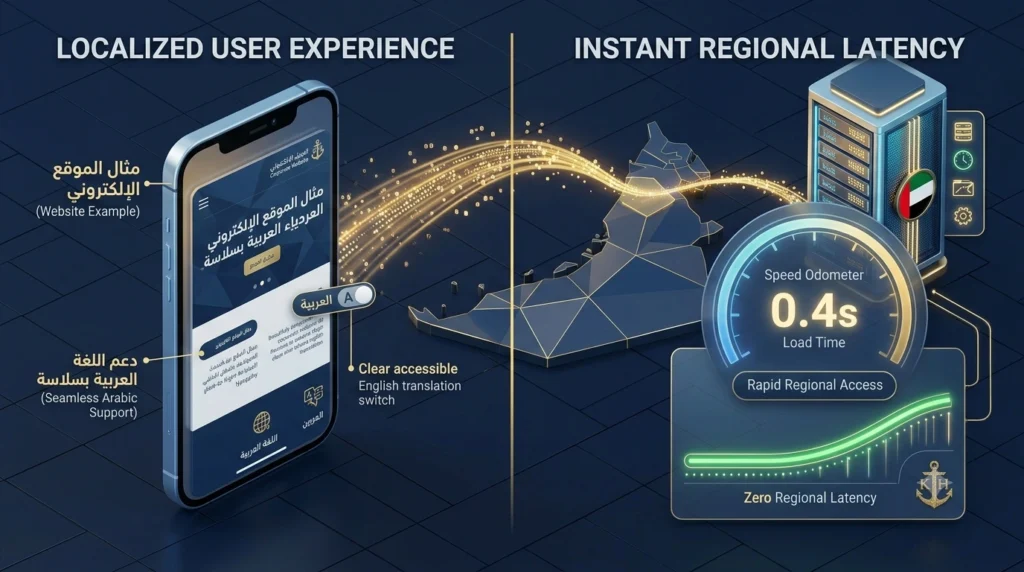
A website builder for UAE customers needs more than translated page text. Choose a platform that lets you publish separate Arabic and English URLs, set right-to-left direction, and test an enquiry or purchase in both languages. The most useful comparison is a working sample built on the same theme and plan you intend to buy.
This guide is for teams planning a bilingual website. If you are still choosing between five general-purpose platforms, start with our comparison of website builders for UAE businesses. Then use the checks below to see which one can support your Arabic pages in practice.
What a Website Builder for UAE Sites Needs to Support
| Check | What a working setup looks like |
|---|---|
| RTL layout | Arabic pages flow right to left while phone numbers and mixed text stay legible. |
| Language URLs | Each translated page has its own stable, shareable URL. |
| Language switcher | The visitor stays on the equivalent page when switching languages. |
| Mobile forms | Labels, required fields and error messages are readable in both languages. |
| Store checkout | Product options, totals and confirmations are understandable in both languages. |
| Search settings | Titles, descriptions, canonicals and language annotations can be checked page by page. |
| Editor workflow | A team member can edit one language and flag the other for review. |
1. Test Right-to-Left Layout With Real Arabic Copy
Open a long Arabic heading, a menu and a mixed line such as a phone number or an AED price on a narrow phone. The W3C guide to right-to-left markup explains why document direction matters separately from alignment. Inspect dropdowns, icons that indicate direction, columns and form labels. A theme that looks good with short Arabic placeholder text can still clip a real product title.
Make one test page with a comparison table, a button and a paragraph containing both Arabic and an English brand name. Check where punctuation lands and whether the button, labels and numbers remain readable. If the website builder requires custom CSS for every page, account for that work in the budget and confirm someone can maintain the styles.
2. Create Separate URLs for Arabic and English
Publish an equivalent pair of test pages. A small site could use /en/services/ and /ar/services/ as a simple structure. Keep the translated pages on stable URLs and make each version accessible through a normal link. Make sure the website builder lets you control the URL slug and metadata for each language.
Read Google’s guidance on localized page versions before setting hreflang. If you use it, check that equivalent pages reference each other and that the URLs match the intended canonical pages. Give visitors a visible language choice instead of relying on an automatic redirect that could send them to the wrong language. If a page has no translation yet, show that clearly in the switcher.
3. Test the Language Switcher Below the Homepage
Start from a product or service page and switch to Arabic. The link should take you to the matching Arabic page where one exists. Repeat from the Arabic version back to English. Test the switcher in the mobile menu and verify that the link names are easy to recognise. A bilingual site is harder to use when visitors have to start again from the homepage each time they switch.
4. Submit Mobile Forms in Both Languages
Run a complete enquiry in Arabic and another in English. Check labels, date formatting, error messages, the success screen and the email your team receives. Enter a UAE phone number and confirm it remains readable. If the site uses booking software, check the appointment time, confirmation message and cancellation links in each language.
Ask the team member who receives leads to confirm that the source page and chosen language are clear. Keep the form short and ask only for fields the team actually uses. Save a note showing how to update the translated form when hours, locations or service options change.
5. Run an End-to-End Store Test
If you sell online, add a variant to the cart, try a UAE delivery address, and check the currency, delivery fee and order total. Use the platform’s test mode or a controlled internal order. Inspect notifications, refund instructions and store policies as well as product pages. A website builder may translate the storefront without translating every third-party app or checkout message.
For self-hosted WordPress and WooCommerce, compare WooCommerce hosting options and verify the theme, translation plugin and payment integration together. Check local payment provider availability directly with the provider before committing to a checkout setup.
6. Review the Search Settings for Each Version
Write an Arabic title and description that match the page’s actual offer. Give the English page its own copy. Confirm both pages are linked from the relevant language navigation, that canonical URLs point where intended and that important pages return a normal success response. If you use a country-specific domain, check .ae domain registration options and confirm which team account will own the domain.
Translate useful image descriptions where the website builder supports them. Keep business name, phone and opening hours consistent across languages and check that Arabic text remains visible as text, including in service descriptions and FAQs.
7. Give Your Team a Publishing Workflow
Ask one editor to change the English service description and flag the Arabic page for review. Decide who approves Arabic copy and who tests links and form behaviour after changes. Store a glossary for service names, location names and product terms. Start with high-priority pages, then translate new content once a reviewer can keep it accurate.
For a team choosing WordPress, check managed WordPress hosting alongside the language plugin and theme. Hosting, translation features and content ownership are separate decisions. Confirm who can export the content and who has access to the domain, hosting and translation accounts.
Example: Launching a Bilingual Service Website
A small UAE services business can start with the homepage, its main service pages and a contact page. Build the English structure first, then translate the pages customers use most. A shared glossary helps reviewers keep service names, location names and pricing terms consistent. In your Arabic website builder, verify that an editor can update one version without overwriting the other.
For each page, record the English URL, Arabic URL, reviewer, publication date and last successful mobile test. Send both links to the reviewer. Ask them to check the page copy as well as buttons, form errors, phone numbers and location details. Have a colleague submit a test enquiry in each language and check what reaches the team.
If a platform charges extra for translated pages, compare the expected number of pages and languages with the tier limits. Include fees for the translation workflow, any required booking or checkout app and the cost of maintaining content after launch. A higher plan is justified when it replaces work your team would otherwise need to do manually.
Before a redesign goes live, map important old URLs to their new versions and test those redirects. Review the published pages rather than relying on the builder’s preview alone. Check for temporary staging directives, language links and missing translations on the pages that drive enquiries. After launch, use search and enquiry data to decide which pages should receive the next round of translation.
When adding new content, assign one owner for the English page and one reviewer for the Arabic version. A short checklist is enough for many teams: confirm the offer, test the form, check the mobile layout and record the page URL. The website builder should make those checks possible without changing unrelated pages.
Compare Language Tools Before Choosing a Platform
Use the same Arabic page and English page across your shortlist. A bundled translation tool can be a good fit when your team wants fewer moving parts. A plugin-based system can be a better fit when you need custom fields, reusable layouts or control over your publishing workflow. Compare the actual plan, theme and integrations you expect to use. Product demos often show the homepage and omit the pages where language problems are most visible.
For a WordPress trial, use a theme with documented RTL support and test the multilingual plugin with your editor. Ask the team to duplicate a page, translate its menu label and update the contact form. Check whether the theme’s mobile menu, breadcrumbs and search results display the translated names. Also verify how you would export pages, media and translations if you change the theme or plugin later.
For a hosted website builder, check which plans allow separate language URLs, whether the theme can switch direction by language and how the platform handles translations for built-in tools. Ask how you would translate a button from a third-party app. If the app cannot be translated, confirm whether you can replace it or present a clear handoff in the right language.
For an e-commerce platform, separate catalogue content from transaction content. The catalogue includes product titles, variants, descriptions and category names. The transaction includes delivery address, fees, payment, confirmation and after-sales messages. If only the catalogue is translated, tell the team where customers may switch language and decide whether the experience meets your requirements.
| Test item | Suggested acceptance check |
|---|---|
| Landing page | Arabic headings wrap cleanly and the call button opens the right number. |
| Service menu | Language switcher links to the equivalent service page. |
| Search results | Search for one real service name or SKU in each language. |
| Form and booking | Errors, confirmation and appointment details are clear to the user. |
| E-commerce checkout | The language, currency and fees match what the customer saw before checkout. |
| Editing | A second team member can update the page and identify which translation needs review. |
Build a Page Map Before Moving an Existing Site
Start with the pages that bring enquiries, bookings or sales. Export the list of public URLs from your existing platform and pair each important page with its replacement. If a service has Arabic and English pages, map both versions individually. Keep separate rows for pages that will remain unchanged, move to a new address or be retired. Give a developer the map before anyone changes DNS or publishes the redesigned navigation.
Where URLs do change, test the old address and confirm it forwards to the correct replacement. A retired Arabic service page may have a useful Arabic alternative. When there is no equivalent page, decide on the appropriate response rather than sending every old link to the homepage. Test the new navigation, sitemap and internal links against the same map so users have a clear route to the pages you kept.
Check reusable pages such as contact, policy and product category pages as carefully as landing pages. The phone number, opening hours, delivery terms and price should agree across language versions. Give translated policies to the person responsible for reviewing them. A language plugin can publish the text, but it cannot decide whether the two versions make the same promise.
If you can see search and enquiry data, note which URLs currently perform well and which pages receive traffic from campaigns or third-party listings. Test those pages immediately after launch. A short launch log can record the date, who checked each link and what changed. If traffic drops, the log helps separate a missing redirect from changes in demand or tracking.
Check Accessibility Alongside Arabic Typography
Zoom the page on a phone and make sure the Arabic line height and font still look readable. Test with the default browser font size and a larger setting. Follow the page with the keyboard where available. Buttons, menus and language options should have clear names and visible focus, and a form should identify which field caused an error. These checks help catch practical problems that a desktop screenshot can hide.
Give the language switcher a readable label and keep it available wherever users may need it. Avoid using only country flags because one country can have several common languages and a language can be used in several countries. If your platform sets a page language attribute, confirm it matches the published text so browsers and assistive tools can interpret the page appropriately.
Test a real Arabic sentence with an English brand name, a telephone number and a price. Keep the phone number and price legible and check punctuation at line breaks. Verify that form labels and confirmation messages remain visible when Arabic strings are longer than the English versions. These small tests are particularly useful when an external booking or checkout app shares the page with the builder.
Set a Budget for Translation and Maintenance
Budget separately for the platform, implementation, review and ongoing updates. For a five-page site, write down who translates the first version and who handles changes in opening hours, offers and delivery information. For a larger site, count the templates and repeated fields, such as product variants, that can increase the review workload. Use a single sample page to estimate real editing time before extending the plan.
Set a rule for what happens when only one language is ready. For example, an important pricing change may need both versions reviewed before publication. A new nonessential case study can be published when its language version is ready and added to the other navigation later. Record these decisions so editors do not have to guess whether an incomplete translation can go live.
At handover, keep ownership of the website builder account, domain and any translation service with the business. Document where both language versions are backed up, who can access them and whether there is a practical export. Ask the new editor to run a short change from draft to publication. This is a better test of ongoing cost than the number of templates available on day one.
Make the Final Choice With Two Test Pages
Compare two platforms using the same pages: one service page with a lead form and one product, booking or contact page. Record what worked on the base plan, what needed a paid extension and what took help from a developer. The best fit is the platform your team can maintain while customers can complete the same important actions in either language.
Frequently Asked Questions
What makes a website builder suitable for Arabic?
It should support right-to-left page direction, Arabic fonts, separate translated URLs, and forms or checkout that work in both languages. Test these features on your exact theme and plan.
Do Arabic and English pages need separate URLs?
Separate URLs give visitors and search engines a stable address for each language version. Use a language switcher that links equivalent pages, and configure hreflang if your platform supports it.
Can I use machine translation for my UAE business site?
It can help produce a draft. Have a fluent reviewer check navigation, pricing, product details, form messages and checkout instructions before publishing.
Can WordPress support an Arabic and English website?
Yes, with an RTL-ready theme and a multilingual setup. Check that your plugins, forms and any shop pages work correctly with the theme before launch.
Should I put Arabic and English on one domain?
A single domain with separate language folders is often easier to manage. The main priorities are stable URLs, clear navigation and the ability to maintain both languages.