



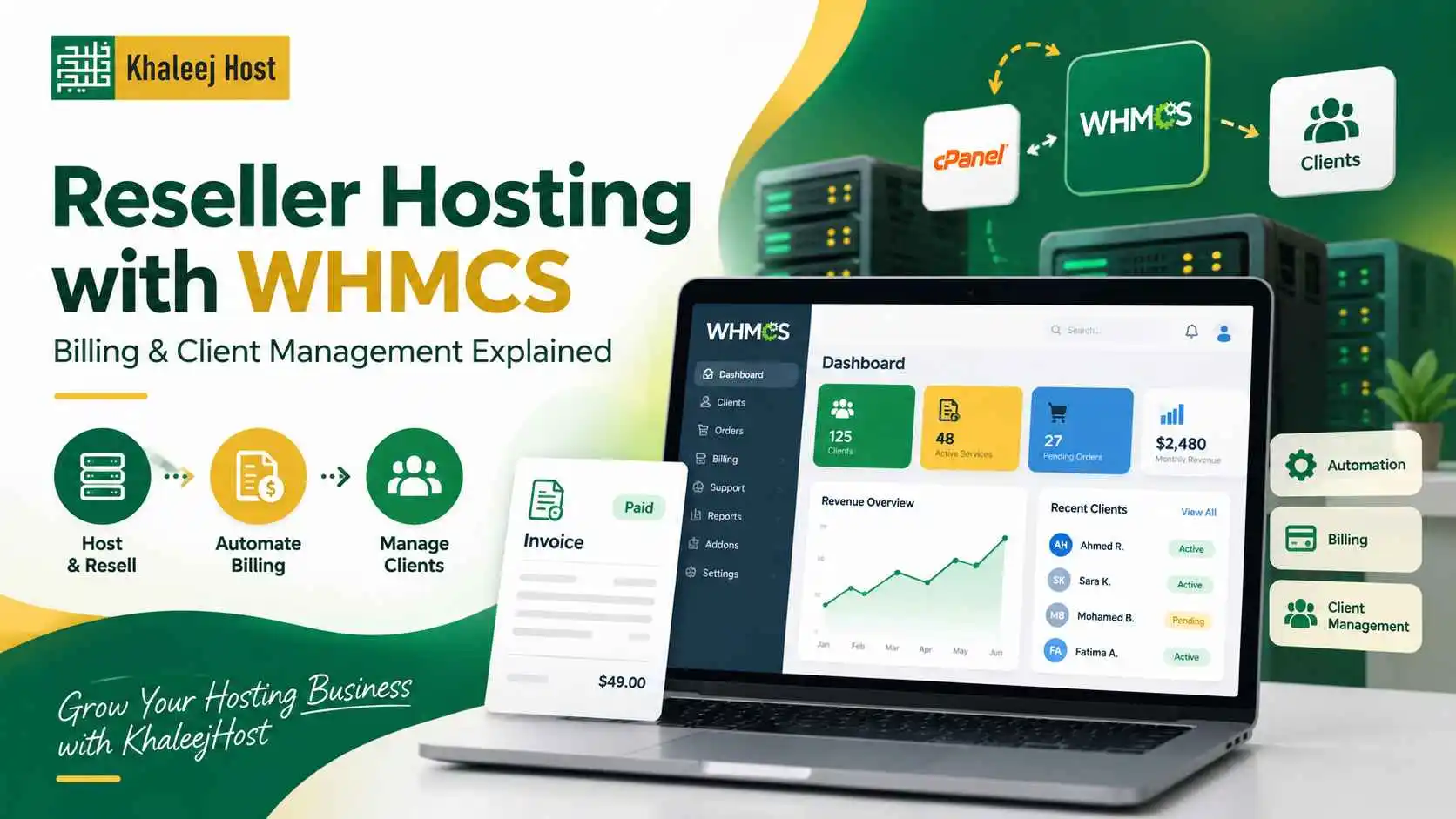
Running a reseller hosting business involves more than creating hosting accounts and giving clients login details. Once you start managing multiple customers, you also need a reliable way to handle invoices, payments, account activation, renewals, support requests, and service management.
This is where WHMCS can make a major difference.
WHMCS is a client management and billing platform commonly used by hosting businesses to automate repetitive tasks and manage customers from one place.
For freelancers, web design agencies, developers, and businesses offering hosting as a service, reseller hosting with WHMCS can make day-to-day operations easier to manage as the client base grows.
This guide explains how WHMCS works with reseller hosting, what you can automate, and what to check before choosing a setup.
What Is WHMCS?
WHMCS is a platform designed to help hosting businesses manage customers, billing, services, support, and automation.
Instead of manually tracking every customer in spreadsheets or sending individual invoices, you can use WHMCS to centralize many of these tasks.
Depending on your setup, WHMCS can help you manage:
- Client accounts
- Hosting services
- Invoices
- Recurring billing
- Payments
- Domain-related services
- Service activation
- Account suspension
- Renewals
- Support tickets
- Client notifications
- Hosting automation
The exact features available depend on your WHMCS configuration, hosting provider, payment gateways, and integrations.
What Is Reseller Hosting with WHMCS?
Reseller hosting allows you to purchase hosting resources and create separate hosting accounts for your own customers.
WHMCS adds a billing and client-management layer on top of that hosting setup.
For example, imagine you run a web design agency with 25 clients.
You may need to:
- Create hosting accounts
- Assign hosting packages
- Send invoices
- Track payment status
- Renew services
- Suspend unpaid accounts
- Send reminders
- Manage client information
- Handle support requests
Doing all of this manually becomes difficult as your customer base grows.
With reseller hosting and WHMCS, many repetitive processes can be automated or organized from a central system.
If you are still evaluating the business model itself, our guide on Reseller Hosting in UAE: Complete Guide to Starting and Growing a Hosting Business explains how reseller hosting works and where it fits into a hosting business.
How WHMCS Works With Reseller Hosting
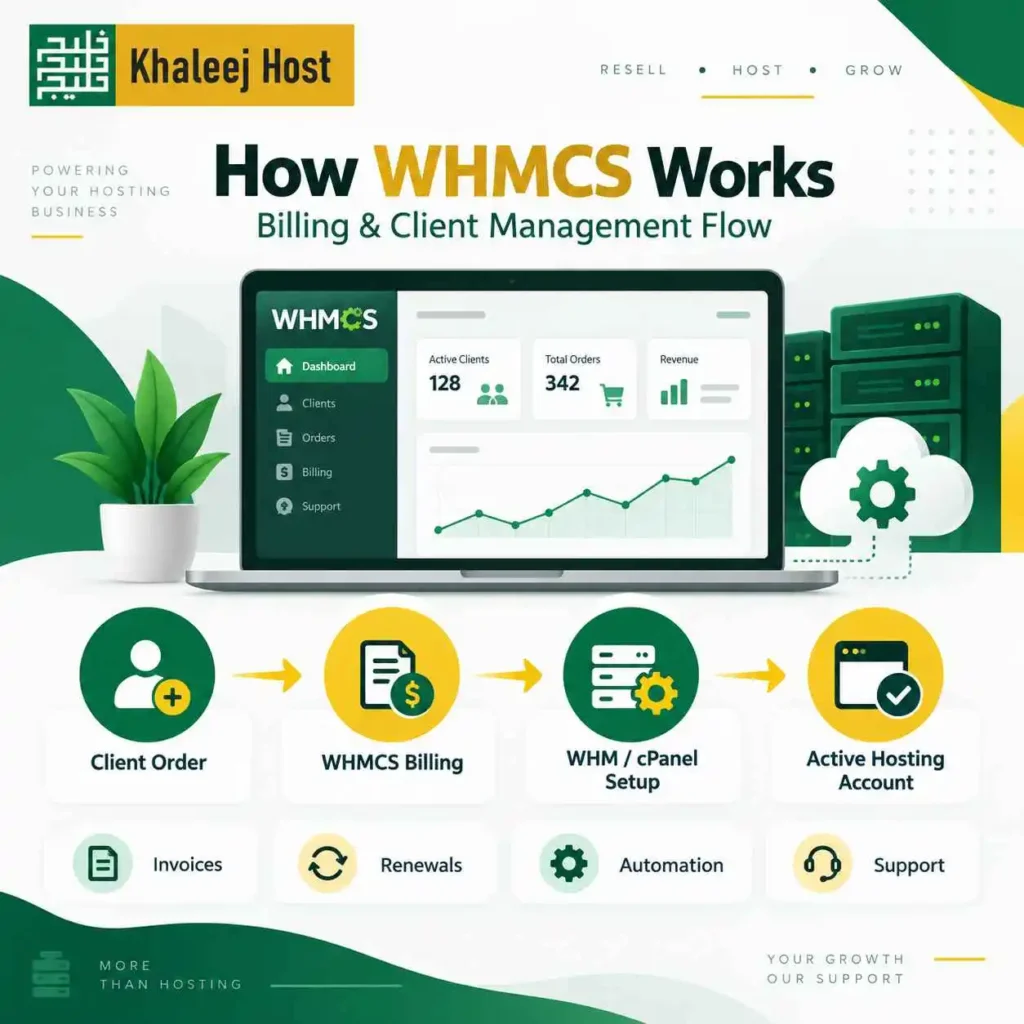
WHMCS does not replace your hosting control panel.
Instead, it can connect your billing and client management system with the hosting environment.
A typical setup may look like this:
Client → WHMCS → Hosting Account → WHM/cPanel
The client interacts with your branded client area to purchase or manage a service.
WHMCS processes the order and billing workflow.
The hosting control panel then manages the actual hosting account.
This separation is important because WHMCS and WHM perform different jobs.
WHM vs WHMCS: What Is the Difference?
These names can be confusing when you are new to reseller hosting.
WHM is primarily used to manage hosting accounts and server-related functions at the reseller level.
WHMCS is primarily used for billing, customer management, automation, and service administration.
In simple terms:
| Tool | Main Purpose |
| WHM | Manage reseller hosting accounts |
| cPanel | Manage an individual hosting account |
| WHMCS | Manage customers, billing, services, and automation |
If you want a more detailed explanation of the hosting control panels, see cPanel vs WHM for Reseller Hosting: What You Need to Know.
What Can You Automate With WHMCS?
Automation is one of the main reasons hosting businesses use WHMCS.
Instead of manually repeating the same tasks for every client, you can configure workflows to handle routine operations.
New Service Activation
A client places an order through your website.
After payment and configuration, WHMCS can communicate with the hosting system to create or activate the service, depending on your setup.
This reduces manual account creation.
Recurring Invoices
Hosting is usually a recurring service.
WHMCS can generate recurring invoices based on your billing cycle.
For example, you may offer:
- Monthly hosting
- Quarterly hosting
- Annual hosting
The system can track the billing cycle and generate invoices according to your configuration.
Payment Tracking
WHMCS can connect with supported payment gateways to record payment status.
This gives you a clearer view of which invoices are paid, pending, overdue, or cancelled.
The available payment methods depend on your payment gateway integrations and business location.
Renewal Reminders
A hosting business depends on recurring renewals.
WHMCS can send automated reminders before a service expires or an invoice becomes due.
This reduces the need to manually contact every client.
Account Suspension
If your configuration supports it, WHMCS can work with your hosting environment to suspend services when invoices remain unpaid.
This can save time when managing a growing number of accounts.
However, you should configure suspension rules carefully to avoid unnecessary service interruptions.
How WHMCS Helps With Client Management
Billing is only one part of running a hosting business.
You also need to maintain accurate customer information and keep track of the services each client uses.
WHMCS can help you organize:
- Client profiles
- Contact information
- Active services
- Billing history
- Invoices
- Payment records
- Support tickets
- Domain information
- Service status
This becomes increasingly useful when you manage dozens of customers.
Instead of searching through different spreadsheets, emails, and payment records, your team can access client information through one system.
Why Client Management Matters as You Grow
Managing three hosting clients manually may be easy. But, Managing 30 is different.
Managing 100 requires a proper system.
As your client base increases, small administrative tasks start consuming more time.
A client may ask:
“Is my hosting renewed?”
Another may ask:
“When is my next payment due?”
Someone else may need a hosting upgrade.
Without centralized client management, your team may need to search through emails or spreadsheets to answer these questions.
A structured billing and management system gives you a clearer operational workflow.
WHMCS for Web Design Agencies
WHMCS can be particularly useful for web design agencies that sell hosting alongside website development.
For example, your agency can offer a package that includes:
- Website design
- Hosting
- SSL
- Business email
- Backups
- Website maintenance
Instead of treating hosting as a one-time add-on, you can manage it as a recurring service.
This can create a more organized relationship with clients because hosting, billing, and service records remain connected.
If your agency is considering reseller hosting specifically for client websites, see Reseller Hosting for Web Design Agencies in UAE for more practical considerations.
WHMCS for Freelancers
Freelancers can also use WHMCS when they manage hosting for multiple clients.
Suppose you build websites for local businesses.
After completing a website, you can offer hosting as an additional service.
As the number of clients increases, manually sending invoices and tracking renewals becomes time-consuming.
WHMCS can help automate those recurring tasks so you can spend more time on development, SEO, maintenance, or finding new clients.
WHMCS Billing: What Should You Set Up?
A professional billing system needs clear rules.
Before selling hosting, decide:
Billing Cycle
Choose the billing periods you want to offer.
Common options include:
- Monthly
- Quarterly
- Semi-annually
- Annually
Annual hosting can reduce the number of invoices you need to manage, while monthly billing may provide clients with a lower upfront cost.
Due Dates
Set clear invoice due dates.
Clients should know when payment is expected and what happens if an invoice remains unpaid.
Grace Periods
Decide whether you provide a grace period before suspension.
This should be communicated clearly in your terms.
Late Payment Handling
You can establish rules for overdue invoices, reminders, suspension, and service termination.
Make these policies clear before customers purchase.
Creating Hosting Packages in WHMCS
WHMCS can help you sell different hosting packages based on your business model.
For example:
Starter Hosting
Suitable for smaller business websites.
Possible resources may include:
- Limited storage
- Limited bandwidth
- One website
- Business email
- SSL
Business Hosting
Designed for businesses with greater resource requirements.
Possible features may include:
- More storage
- Multiple websites
- Additional email accounts
- More databases
- Higher resource limits
Agency Hosting
Designed for customers managing multiple websites.
The actual resources should be based on your reseller hosting plan and the limits provided by your hosting infrastructure.
Do not advertise resources simply because they look attractive on a pricing page. Make sure your reseller account can actually support the packages you sell.
WHMCS and White-Label Hosting
If you want to sell hosting under your own brand, white-label capabilities become important.
White-label reseller hosting allows you to present hosting as part of your own service portfolio instead of prominently displaying the upstream hosting provider’s branding.
For agencies and freelancers, this can help create a more consistent client experience.
You can learn more in White-Label Reseller Hosting in UAE: How It Works.
Your branding, billing interface, support process, and client communication should work together so customers understand who they are purchasing the service from.
WHMCS and Payment Gateways
WHMCS can integrate with supported payment gateways so clients can pay invoices online.
Depending on your market and setup, you may consider payment options that your customers already use.
Before selecting a payment gateway, check:
- WHMCS compatibility
- Transaction fees
- Settlement process
- Currency support
- Recurring payment support
- Refund handling
- Local business requirements
- Security requirements
Payment gateway availability can vary, so verify the current integration and requirements before committing to a specific option.
How Much Does WHMCS Cost?
The total cost of using WHMCS depends on how you obtain the software and which features or integrations your business requires.
You may also have costs related to:
- Hosting
- Payment gateways
- Domain registration
- Additional integrations
- Development
- Customization
- Maintenance
This is why WHMCS should be evaluated as part of your overall hosting business cost rather than as an isolated software expense.
If you are calculating your starting budget, our guide on How Much Does Reseller Hosting Cost in UAE? Pricing Guide for Beginners can help you think through the different expenses involved in starting a reseller hosting business.
WHMCS vs Manual Billing
For a very small client base, manual billing may initially seem manageable.
But manual processes create additional work.
| Task | Manual Process | WHMCS-Based Process |
| Invoice creation | Manually prepare invoices | Can be automated |
| Payment tracking | Check individually | Centralized records |
| Renewal reminders | Send manually | Can be automated |
| Client records | Spreadsheet/email | Centralized client area |
| Service status | Track separately | Connected service records |
| Account activation | Manual or separate process | Can be automated with integrations |
| Overdue accounts | Manual follow-up | Automated rules can assist |
| Support | Email or separate system | Ticketing can be centralized |
Automation does not eliminate the need for human support.
Clients may still need help with website problems, billing questions, migrations, or account changes.
The goal is to reduce repetitive administration, not remove customer service.
Common WHMCS Mistakes to Avoid
Selling Packages Without Checking Resources
Your WHMCS package should match what your reseller hosting environment can actually deliver.
Avoid promising unlimited or excessive resources without understanding the underlying limits.
Making Billing Rules Too Complicated
Keep your plans and billing cycles easy to understand.
Clients should know what they are paying for and when payment is due.
Ignoring Renewal Pricing
Make renewal costs clear.
A low introductory price followed by a significantly different renewal price can create customer confusion.
Automating Everything Without Monitoring
Automation saves time, but you should still monitor your billing and hosting environment.
Check failed payments, suspended services, unusual resource usage, and client complaints regularly.
Not Testing the Client Journey
Place a test order before launching your hosting service.
Check the complete process:
Order → Payment → Invoice → Account Creation → Welcome Email → Client Login → Renewal
A small configuration error can create unnecessary support requests later.
How to Set Up WHMCS for Reseller Hosting
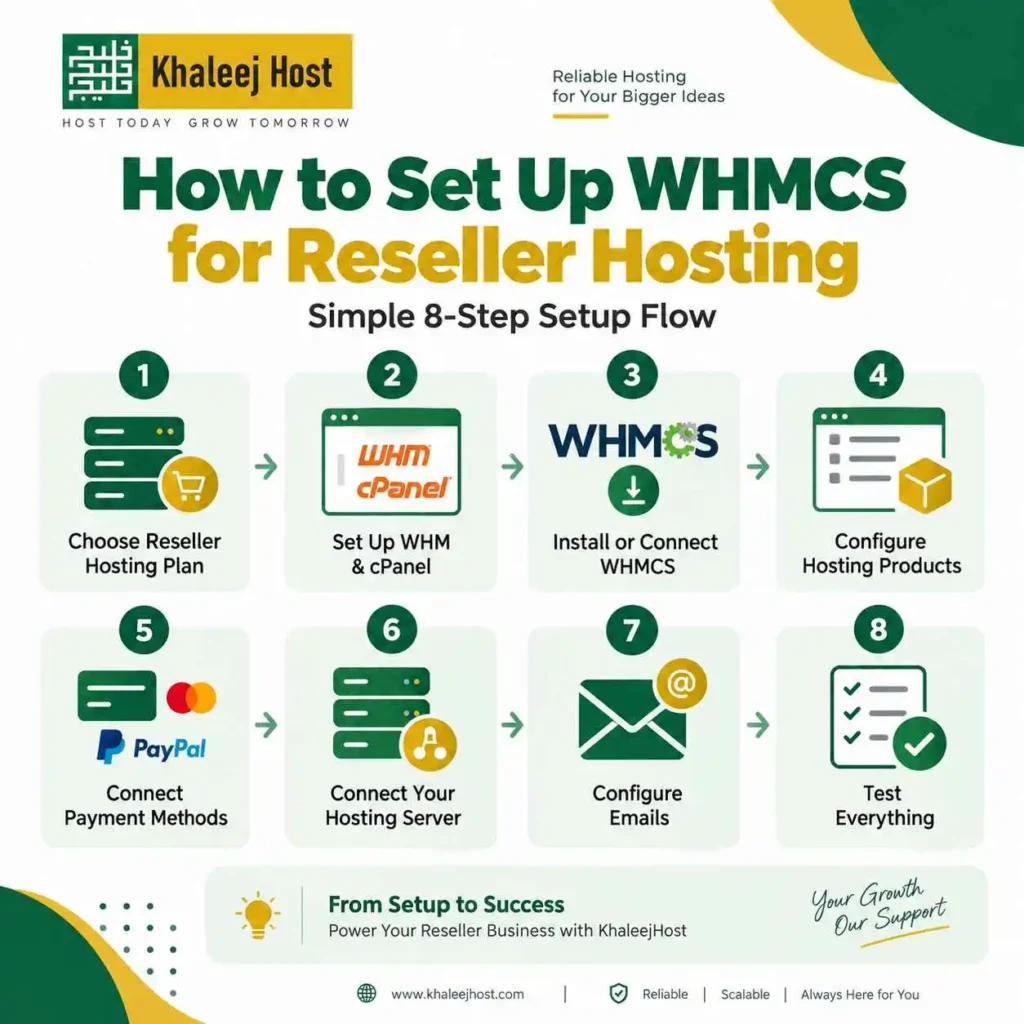
A typical setup process may look like this:
Step 1: Choose Your Reseller Hosting Plan
Select a hosting plan based on your expected client accounts, storage, resource requirements, and growth.
If you are comparing providers, our guide on How to Choose a Reseller Hosting Provider in UAE covers the main factors you should check before buying.
Step 2: Set Up WHM and cPanel
Make sure your reseller hosting environment provides the control panel access required for your business.
Step 3: Install or Connect WHMCS
Set up WHMCS according to your hosting and licensing arrangement.
Step 4: Configure Hosting Products
Create your hosting packages, pricing, billing cycles, and resource limits.
Step 5: Connect Payment Methods
Configure supported payment gateways and test successful and failed payment scenarios.
Step 6: Connect Your Hosting Server
Set up the required hosting module or integration so WHMCS can communicate with your hosting environment.
Step 7: Configure Emails
Create professional templates for:
- Welcome messages
- Invoice notifications
- Payment confirmations
- Renewal reminders
- Password resets
- Service notifications
Step 8: Test Everything
Before accepting real customers, test the complete customer journey.
This includes ordering, payment, account creation, login, invoicing, renewal, and cancellation.
Can You Use WHMCS With Any Reseller Hosting Provider?
Not necessarily.
Your hosting provider needs to support the required WHMCS integration and configuration.
Before purchasing a reseller plan, ask:
- Is WHMCS supported?
- Is server integration available?
- Which WHMCS modules are supported?
- Can hosting accounts be created automatically?
- Can accounts be suspended automatically?
- Are package limits synchronized?
- Is technical assistance available for the integration?
Getting these answers before buying can save you from changing providers later.
Is WHMCS Necessary for Every Reseller Hosting Business?
No.
If you only manage a small number of clients, you may be able to manage billing manually at the beginning.
However, WHMCS becomes more valuable when you have recurring customers and multiple services to manage.
The right time to introduce automation depends on your client volume, billing complexity, budget, and operational needs.
Benefits of Reseller Hosting With WHMCS
A properly configured setup can help you:
- Reduce repetitive billing work
- Organize customer information
- Automate recurring invoices
- Manage hosting services
- Send renewal reminders
- Centralize support
- Improve the client experience
- Reduce manual account management
- Create scalable hosting packages
- Build recurring hosting revenue
The biggest benefit is operational consistency.
Your business should not depend on remembering which client needs an invoice, which account needs renewal, or which service is approaching its due date.
Frequently Asked Questions
WHMCS is used for customer management, billing, invoicing, service management, support, and automation. It can connect with a reseller hosting environment to automate certain hosting-related tasks.
Not necessarily. A small reseller business may manage a limited number of customers manually. WHMCS becomes more useful as the number of clients, invoices, and recurring services increases.
Yes, WHMCS can automate hosting account creation when it is properly integrated with a compatible hosting control panel and configured for the required workflow.
Yes. WHMCS can manage recurring invoices and payment workflows when the relevant billing settings and supported payment gateway integrations are configured.
No. WHM is primarily used to manage reseller hosting accounts and hosting-related functions. WHMCS focuses on billing, client management, services, support, and automation.
Yes. WHMCS can be part of a white-label hosting setup where customers interact with your business branding and client management system. The available branding options depend on your hosting and WHMCS configuration.
It can automate service suspension when the hosting integration and suspension rules are configured correctly. You should test these settings before using them with real customers.
Yes. Agencies can use WHMCS to manage hosting, recurring invoices, customer accounts, renewals, and support while offering hosting alongside website development and maintenance.
Conclusion
Reseller hosting with WHMCS gives you a structured way to manage the business side of hosting.
WHM handles reseller-level hosting management. cPanel handles individual hosting accounts. WHMCS connects the customer, billing, service, and automation side of the business.
For a growing reseller business, this separation can make daily operations easier to organize.
Before setting up WHMCS, check your hosting provider’s compatibility, available integrations, payment options, automation capabilities, resource limits, and support.
The goal is simple: create a hosting operation where billing, client management, and hosting services work together instead of requiring you to manage every task manually.